2 Months Post-Acquisition: Claude Co-Work Is Becoming Our Operating System

March 27, 2026
by a searcher from IESE Business School in Dublin, Ireland
I recently closed on the acquisition of a business after roughly 15 months of self-funded search, and probably another 9 months of prep before that. So all-in, it was about a two-year journey.
The business is a B2B distributor of POS systems, self-checkout machines, warehouse scanners, and related peripherals. We’re based in Ireland, with a team of eight.
It is not a software business. There is very little true recurring revenue. That said, one thing I like about this hardware category is that replacement cycles are reasonably regular. Depending on the product, equipment tends to get replaced every 3 to 10 years, with 5 years being a decent rule of thumb. A lot of hardware was installed during Covid, and much of that is now coming up for replacement. There is also some maintenance and service revenue in the mix.
What I want to share here, though, is not really the deal mechanics. The more interesting part, at least to me, is how I am operating the business two months in.
We have now rolled out Claude CoWork across the whole company. Everyone is on Pro, and I am on Max. I do not say this lightly: it has been astounding. It is one of the most useful tools I have ever seen for a small business.
Our setup is fairly simple. All files now sit in shared folders on SharePoint. A large part of our business is supplier-driven, with lots of technical specs, pricing documents, presentations, and product information. So, for example, we have a main folder for supplier brands, and then each supplier has its own structured folder underneath that. Every meeting is transcribed. Claude handles the meeting minutes. Technical information, pricing, presentations, and notes all build into a growing knowledge base.
The way I see it, during the six-month handover from the previous owner, I am effectively capturing the business into the system. Every supplier conversation, customer meeting, internal review, and operational discussion is being transcribed and organized. The AI is learning the business as we go.
It still takes me about a day to create a really good agent, although I am getting faster. I now have four that I am genuinely happy with.
One is a supplier manager. It helps review new products, prepare for supplier meetings, summarize notes, and organize follow-ups.
One is a sales manager. It works across customer folders, meeting transcripts, actions, and account management.
One is effectively a CFO. We are a small company, so we do not have a full finance function in-house. We have someone who handles accounts and we use external accountants, so I built a CFO agent instead. I have prompted it to be completely cash flow oriented, heavily influenced by The Outsiders by William Thorndike. So it thinks like a capital allocator, not a traditional finance person.
That CFO agent now handles our weekly inventory review. I can dump in very raw data, including a 75-page PDF of every stock item we hold, and it matches that against sales history, pipeline information, and other context. It then produces our weekly review agenda in advance. The meeting gets recorded, actions are captured, and a one-page summary goes back out to the team. Then it repeats the following week.
Some of these reports are now effectively automated. The team knows that certain raw data needs to be dropped into the relevant SharePoint folder on a Thursday, and the review pack is there on Friday morning.
I know there is a lot of noise around AI, but in a small acquired business like this, I think it can genuinely become part of the operating system. Not for flashy automation, and not for replacing people, but for building institutional memory, increasing speed, and improving management cadence.
Happy to share more with anyone interested, particularly around how we are setting this up inside a small owner-operated business.
And if you are interested, I would appreciate a follow for me and the company on linked in, that would be very helpful. Based on all the feedback, I created the attached guide which you might find useful, let me know what you think: https://sbrowne-claude-for-small-business.netlify.app/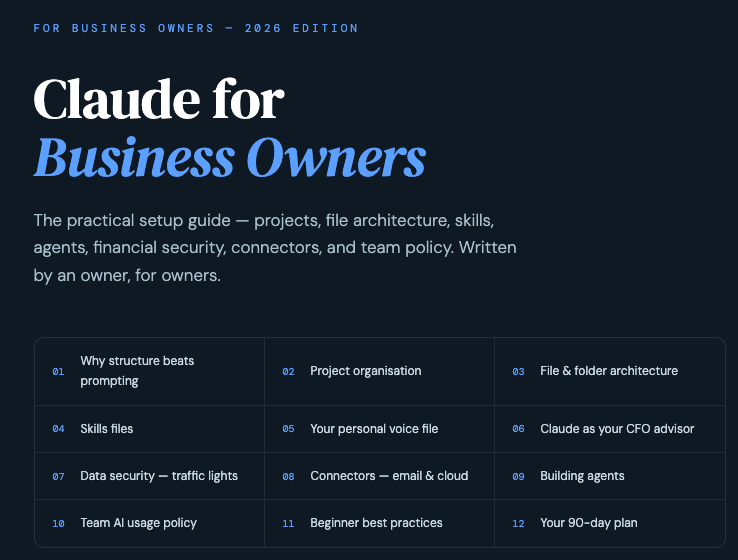
from University of Virginia in Hong Kong
from Liberty University in New Smyrna Beach, FL, USA